
FileZilla
Discover why FileZilla is the premier cross-platform FTP client for Linux. Read our comprehensive review of its features, speed limits, and site manager.
Imagine you are in the middle of a critical website update, and you need to securely upload hundreds of media assets, configuration files, and templates to your remote server without losing track of your progress. In these high-stakes moments, having a reliable, high-performance file transfer tool is indispensable. The FileZilla FTP client stands out as a premier open-source solution designed to handle complex directory structures and large-scale data migrations with absolute precision.
What is the FileZilla FTP Client?
Developed by Tim Kosse, FileZilla is a highly respected, platform-independent graphical application categorized under network utility and communication tools. Built to run seamlessly on Linux and other major operating systems, this robust client simplifies the process of moving files between your local machine and remote servers. It supports a variety of secure protocols, ensuring that your sensitive credentials and data payloads remain encrypted during transit.
Key Features of the FileZilla FTP Client
Whether you are a system administrator managing multiple servers or a web developer pushing daily updates, the FileZilla FTP client provides an extensive suite of features designed to optimize your workflow:
- Multi-Protocol Support: Seamlessly connect using standard FTP, FTP over SSL/TLS (FTPS), and the highly secure SSH File Transfer Protocol (SFTP).
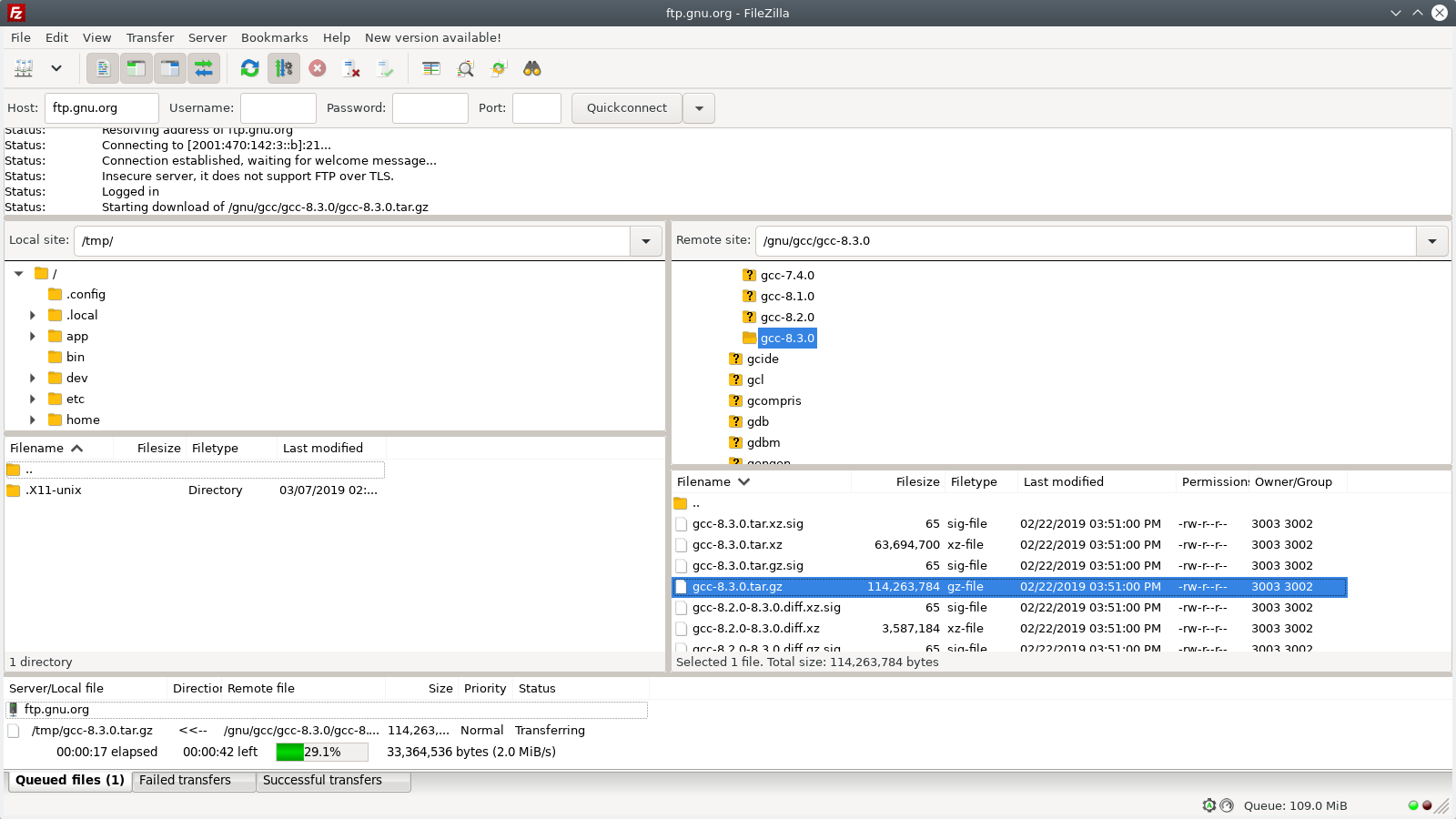
- Advanced Site Manager: Organize your connection profiles, bookmarks, and transfer queues systematically for quick access.
- Large File Handling: Transfer massive files exceeding 4GB with full support for resuming interrupted uploads or downloads.
- Remote File Editing: Integrate your favorite local text editors, such as Notepad, to modify code files directly on the server in real time.
- Directory Comparison & Synchronization: Quickly identify discrepancies between local and remote directories with visual side-by-side comparisons.
- Network Optimization: Configure custom speed limits, leverage IPv6 support, and navigate complex networks easily using the built-in configuration wizard.
Who is This File Transfer Tool For?
The FileZilla FTP client is ideal for developers, content managers, and IT professionals who require a dependable, drag-and-drop interface to manage remote storage. Its multi-language support, comprehensive logging, and robust proxy compatibility (including SOCKS5 and HTTP/1.1) make it versatile enough to fit into any corporate enterprise network or home-office setup.
Get Started with FileZilla
If you are looking for a fast, reliable, and entirely free solution to manage your web servers and remote archives, this software is an industry standard for a reason. To explore this powerful utility further and add it to your workstation, visit the official Flathub store page to get started.